LumenServe Video Collection
Click here for the new Brochure
We Are Tower Aficionados
LumenServe℠ owns and operates tower lighting systems across the United States. Our founding investment and management group has helped start some of the largest tower companies in the world and has unmatched experience.
A Work of Art
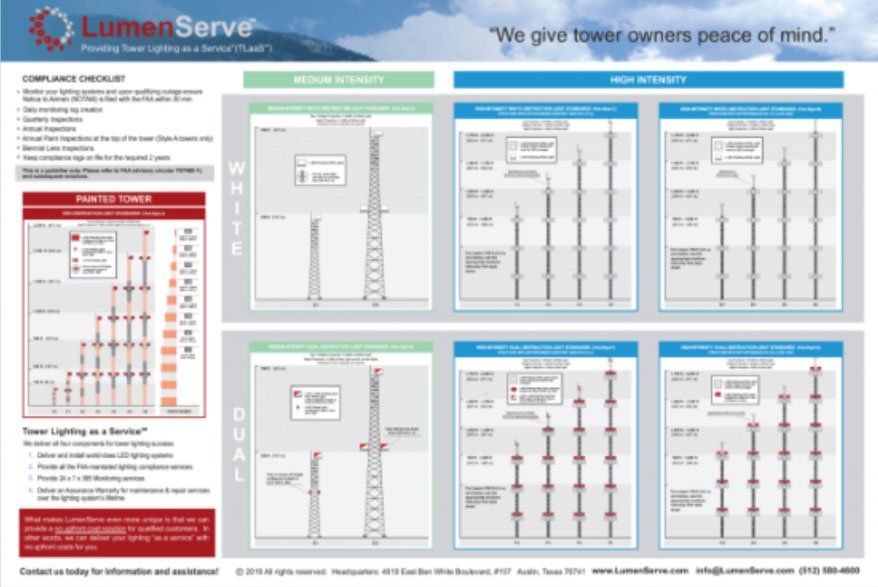
We’ve created a simple summary of the most common tower lighting regulations on a clear and easy to understand poster. It includes the most common tower types and a summary of compliance obligations.

FAA Regulations Resource
Keeping You In The Know
We’ve created a one-stop shop to all the links to the current and previous FAA Circulars which govern obstruction lighting AC 70/7460. It also includes other important links regarding obstruction lighting for your tower.

If your tower’s obstruction lighting is required and something goes out, the goal is simple: restore the lighting and close the loop cleanly. The best outcomes come from a repeatable workflow that starts with good documentation and ends with confirmed resolution. If you’re not sure what a NOTAM is, start here: What Is a NOTAM (and Why Tower Owners Should Care) ? Need help building a consistent outage/NOTAM workflow? Book a Call . First: confirm who is responsible (owner vs. operator vs. vendor) Before “filing” anything, confirm who is responsible for origination and cancellation/closure within your organization’s process. FAA policy emphasizes that the party originating the NOTAM is responsible for accuracy and cancellation/closure actions. What you need before you file (gather this first ) Structure details (ASR-first, plus ASN for FAA workflows) • FCC ASR number (primary identifier) • Site/tower name (owner naming or your naming convention) • Location (address and/or coordinates) • Height (as documented) • FAA Aeronautical Study Number (ASN) (often needed for OE/AAA E-file actions) Why both? ASR is the most common operational identifier for tower owners/operators. But the FAA OE/AAA E-file NOTAM workflow in the Desk Reference Guide is driven by ASN. Outage details • What’s out (top beacon, side markers, multiple levels, controller behavior) • When it was first detected (date/time + timezone) • Whether it’s continuous or intermittent • What triggered detection (alarm/monitoring vs. visual confirmation) Repair plan • Who is dispatched • Estimated time to restore (if known) • Any access constraints (site access, climb requirements, weather delays) Contact + recordkeeping • Primary point of contact • Incident log entry (one place where all updates live) Want a predictable process for monitoring + documentation + response? We can help . Filing the NOTAM: Two Common Paths Path A: Your internal / vendor workflow (general) Use your established reporting workflow (owner-managed, vendor-managed, or LumenServe-managed). Keep the incident record current and make sure the administrative closeout is confirmed—not assumed. Path B: FAA OE/AAA “NOTAM E-Notification” via E-file (when required by your FAA determination) If your FAA determination requires NOTAM notification via the OE/AAA process, the FAA Desk Reference Guide indicates this is completed through a registered E-file account. High-level steps (as described in the guide): 1. In your OE/AAA portal, use the Temporary Structure Notification link (under “Off Airport Construction”). 2. Enter the Aeronautical Study Number (ASN) and confirm the case details. 3. Add the supplemental notice (shown as “Add 7460-2”), then select “Request a NOTAM.” 4. Provide the required fields the guide calls out (start date; completion date or number of days; removal date; time of arrival; onsite contact + phone). The guide notes the removal date cannot be in the future. 5. Save/confirm to submit. Important note from the guide: You may also need to complete separate notification to the airport and/or air traffic control tower depending on the conditions in your FAA determination letter. Clearing/Canceling: What “Done” Means Clearing is where teams stumble—because the lights might be back on, but the administrative loop isn’t finished. 1) Verify restoration (don’t assume) Confirm the lighting system is operating correctly (visual when safe, monitoring, and/or technician documentation). 2) Document proof of restoration Log restoration time, what changed, how it was verified, and who verified. 3) Close/cancel through the same workflow you used to initiate In the OE/AAA E-file workflow, the Desk Reference Guide includes a NOTAM Cancellation Notification path and again notes the removal date cannot be a future date. 4) Confirm closure and record it Whatever method you use, don’t stop at “we fixed it.” Record the closure confirmation in your incident log. Want LumenServe to help operationalize this so it’s consistent every time? Book a Call. Common mistakes to avoid • Not capturing detection time consistently • Vague outage descriptions • No single owner accountable for closure • Assuming “restored” automatically equals “cleared” • Thin documentation
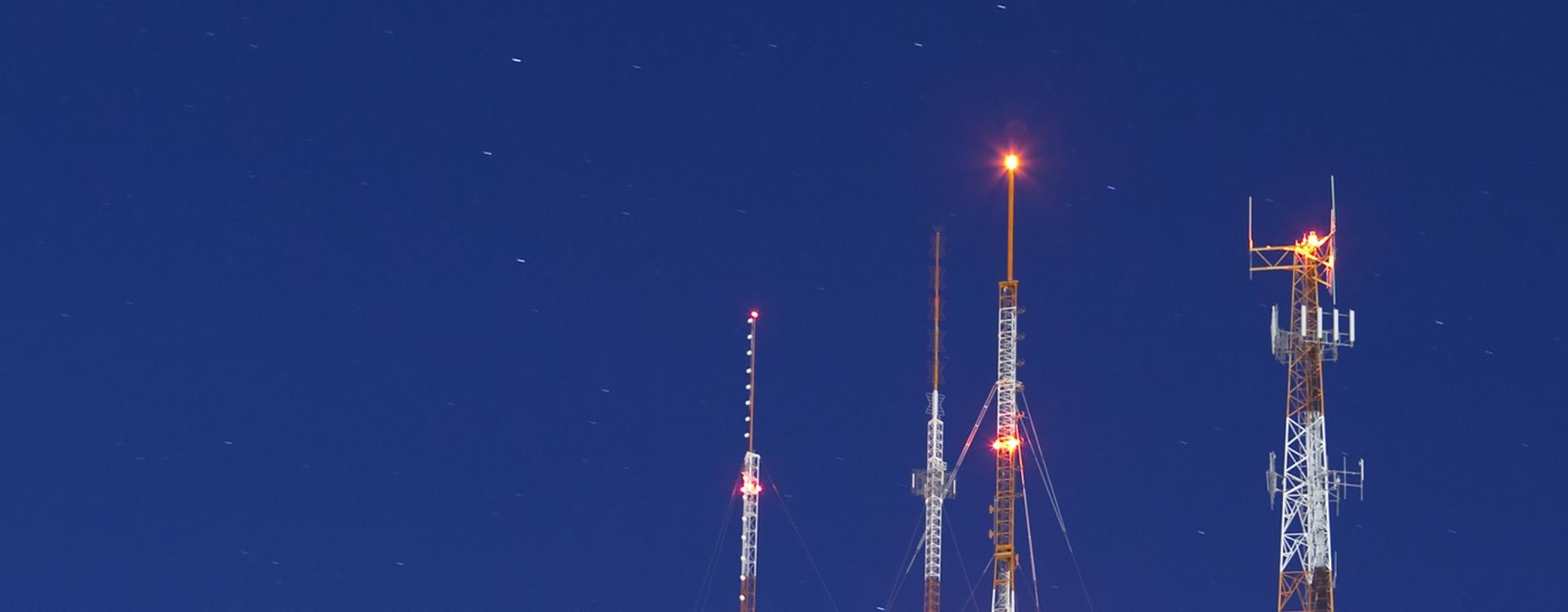
If you own or operate communications towers, FAA tower lighting compliance is not optional. Obstruction lighting systems protect aircraft operating in the national airspace. When a tower’s lighting system fails, it can create a hazard to aviation and trigger regulatory obligations for the tower owner. Managing tower lighting compliance is more complex than most operators expect. It typically involves: • Understanding FAA obstruction marking and lighting standards • Monitoring obstruction lights continuously • Detecting and reporting outages within required timeframes • Maintaining daily observation logs and inspection records • Coordinating repairs and maintenance • Maintaining documentation for regulatory compliance This guide explains everything tower owners need to know about FAA tower lighting compliance, including regulations, inspection requirements, outage reporting rules, and operational responsibilities. Why Tower Lighting Compliance Exists Tall structures can present a hazard to aircraft operating at low altitude. To mitigate this risk, the Federal Aviation Administration establishes standards for marking and lighting structures that may affect navigable airspace. These standards are published in FAA Advisory Circular 70/7460-1M – Obstruction Marking and Lighting, which provides guidance for the marking and lighting of structures that may pose hazards to aviation. The goal is simple: Ensure tall structures are visible to pilots both day and night. Obstruction lighting systems allow pilots to identify towers and avoid collisions during: • Night operations • Low visibility conditions • Agricultural aviation • Helicopter operations • Low-altitude flight corridors Many modern lighting systems now also include infrared (IR) capability to ensure visibility for aircraft using night-vision equipment. Which Towers Require Obstruction Lighting? Not every tower requires aviation lighting. Under 14 CFR Part 77 – Safe, Efficient Use, and Preservation of the Navigable Airspace certain structures must be reported to the FAA for evaluation. Specifically, structures exceeding 200 feet above ground level (AGL) must be reported to the FAA using FAA Form 7460-1. After reviewing the structure’s height, location, and potential impact on aviation operations, the FAA issues a determination specifying whether the structure must be: • Marked • Lighted • Both marked and lighted Even structures below 200 ft AGL may require lighting if they penetrate protected airspace surfaces near airports. Types of FAA Obstruction Lighting Systems The FAA recognizes several obstruction lighting configurations depending on tower height, location, and aviation visibility requirements. Lighting standards and configurations are described in FAA Advisory Circular 70/7460-1M – Obstruction Marking and Lighting. Red Obstruction Lighting Systems Red lighting systems are one of the most common tower lighting configurations. These are typically found on Type A towers. Characteristics include: • Flashing or steady-burning red lights • Used primarily during nighttime operations • Installed at multiple elevations on the structure Common equipment types include: • L-810 low-intensity red lights • L-864 medium-intensity flashing red beacons These systems provide nighttime visibility without bright daytime flashes. Hight-Intensity White Lighting High-intensity white systems use flashing white strobes during daytime hours. These are typically found on Type B, C, and D towers. Characteristics include: • High-visibility daytime strobes • Reduced need for tower paint markings • Lighting installed at multiple tower elevations Typical equipment classification: L-865 flashing white obstruction lights Dual Mode Lighting Systems Dual mode lighting systems combine two lighting modes: • White strobes during daytime • Red obstruction lights during nighttime This configuration provides strong daytime visibility while minimizing nighttime glare. These are typically found on Type E, F, and G towers.
Learn what a NOTAM is, why it matters for tower lighting, and what to do if you receive a NOTAM notification. Book a Call with LumenServe.
Northwest Communications Cooperative
A Case Study
A premier communications provider, a large 540-square mile territory and 23 lit towers were in need of a tower lighting solution to cut costs, upgrade their old lighting systems and save staff time. LumenServe℠ provides the solution as detailed in this case study... more